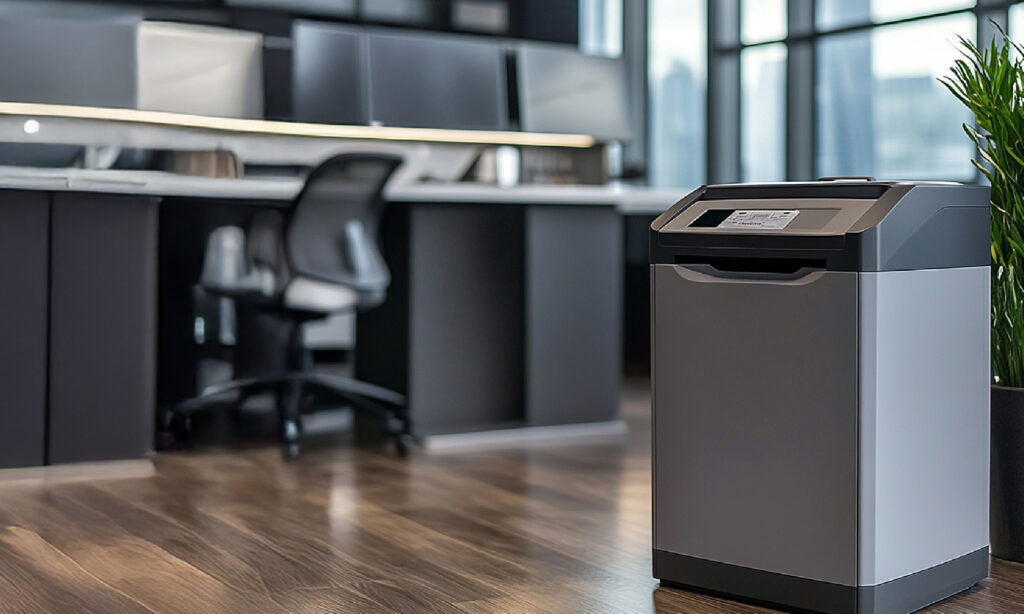




With increasing data privacy regulations and rising risks of identity theft, securely disposing of documents is no longer optional, it’s a business necessity. Whether you’re managing a team or working remotely, the right Shredder helps protect sensitive information while improving efficiency.
But choosing the right one requires more than just picking a price point.
Here’s a practical guide to help you make the right decision.
1. Understand Your Usage Requirements
Start by identifying how often the Shredder will be used and by how many people.
- Home office / light use: Occasional shredding, low sheet capacity
- Small teams (2–5 users): Moderate usage, longer run times
- Departments / large offices: Heavy-duty machines with continuous operation
Run time and sheet capacity are critical. A shredder designed for light use may overheat or slow down in a busy office environment.
Key takeaway: Always match the shredder to actual usage, not assumed usage, to avoid inefficiencies and downtime.
2. Choose the Right Security Level (DIN Standard)
Shredder security is measured using the internationally recognised DIN 66399 Standard, which classifies Shredders based on how small they cut paper.
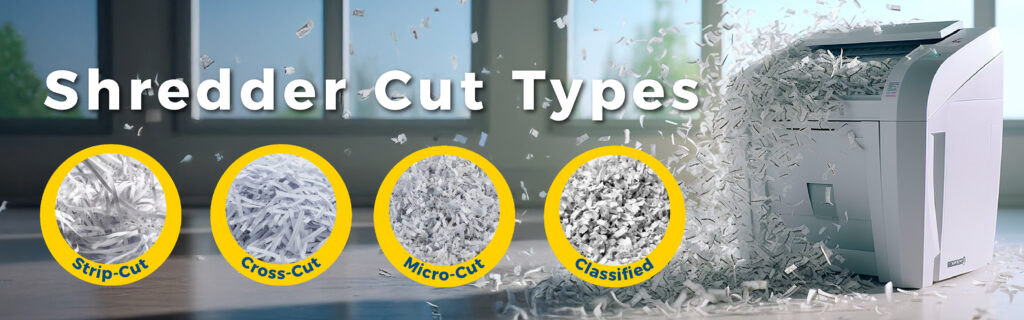
Simplified breakdown:
- P-1 to P-2 (Strip-cut)
Basic protection for non-sensitive documents - P-3 to P-4 (Cross-cut)
Suitable for confidential business documents - P-5 (Micro-cut)
High security for financial or strategic data - P-6 to P-7 (Classified)
Maximum security for highly sensitive or classified information
The smaller the particle size, the harder it is to reconstruct documents.
Best practice for Small to Medium Enterprises:
A P-4 or P-5 (Cross-Cut or Micro-Cut) Shredder offers the best balance between security and operational efficiency.
3. Consider What Materials You Need to Shred
Modern offices deal with more than just paper.
Many shredders can handle:
- Staples and paper clips
- Credit cards
- CDs/DVDs
Choosing a multi-material Shredder reduces manual sorting and improves workflow efficiency.
4. Evaluate Performance Features That Impact Productivity
Beyond basic specs, certain features directly affect day-to-day usability:
a) Sheet Capacity
This determines how many pages can be shredded at once.
- 5–10 sheets: light use
- 15–20+ sheets: office use
Higher capacity saves time in busy environments.
b) Run Time (Duty Cycle)
Every Shredder has a limit before it needs to cool down.
- Light use: 3–5 minutes
- Office use: 10–30 minutes
- Commercial use: continuous
Choosing the wrong duty cycle leads to frequent interruptions and reduced productivity.
c) Bin Capacity
The bin capacity is another indicator one could use to determine the Shredder size you might need. Shredder waste bins capacity is measured in litres, to give a visual idea an Office Bin (under your desk) is around 13-15 litres. A larger bin reduces how often it needs to be emptied, important for shared environments.
d) Anti-Jam & Auto Features
Advanced Shredders include:
- Anti-jam technology
- Auto-feed functionality
- Auto shut-off
These features improve workflow and reduce user frustration.
5. Factor in Safety and Compliance
For both offices and home environments, safety is essential.
Look for:
- Safety sensors that stop operation when hands are near the opening
- Auto shut-off when the bin is removed or full
- Overheat protection
These features reduce risk and extend the lifespan of the machine.
From a compliance perspective, shredding is also critical for protecting personal and business data, reducing the risk of data breaches.
6. Manual vs Automatic Shredding
Your workflow determines which option is best:
- Manual shredders: Immediate control, ideal for small volumes
- Auto-feed shredders: Load documents and save time
- Hybrid models: Offer both options
For Small to Medium Enterprises and busy professionals, auto-feed Shredders are increasingly preferred due to efficiency gains.
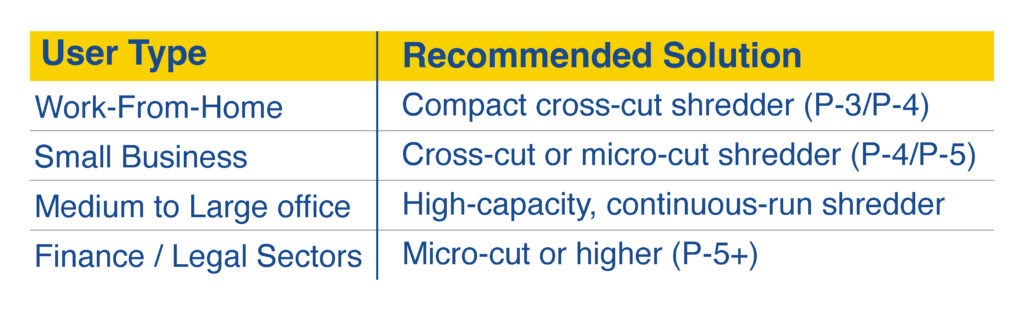
7. Match the Shredder to Your Environment
Final Thoughts
Choosing the right Shredder comes down to three key factors:
1. Usage requirements (volume and frequency)
2. Security level (DIN rating)
3. Performance features (efficiency and safety)
Getting this right ensures:
- Better productivity
- Reduced operational frustration
- Stronger data protection
For businesses and remote professionals alike, a Shredder is not just an Office Tool, it’s a critical part of your information security strategy.
References
- Kensington – 10 Things to Consider When Buying Office Shredders
- Mastershred South Africa – DIN 66399 Security Levels Explained
- Fellowes – Shredder Security Levels Guide
- Rexel – How to choose the best Shredder for Your Office
- Parrot Products – Shredders